iSmartWorks
How It Works
3 Easy Steps
Step 1: Form Generation
-
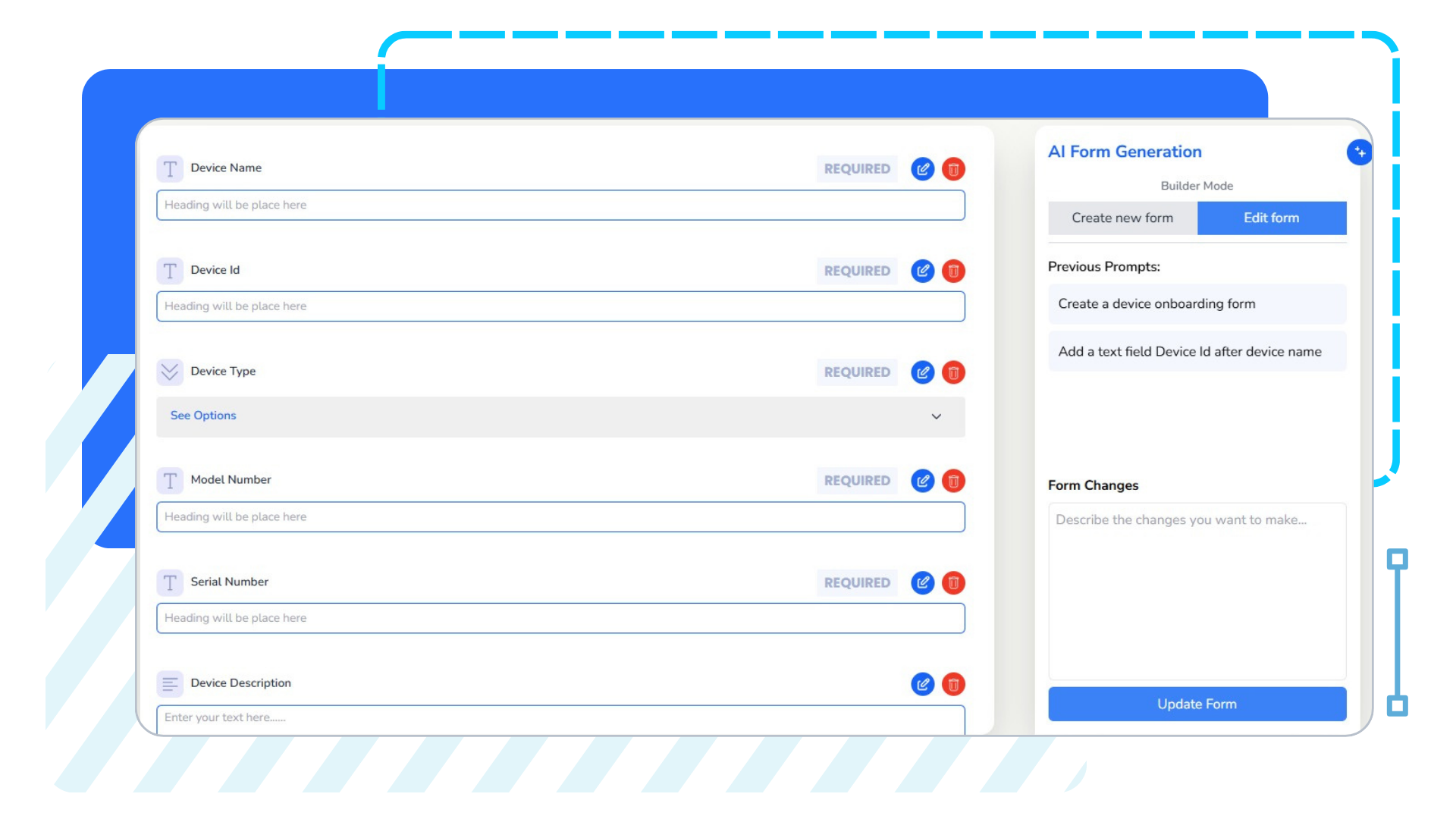
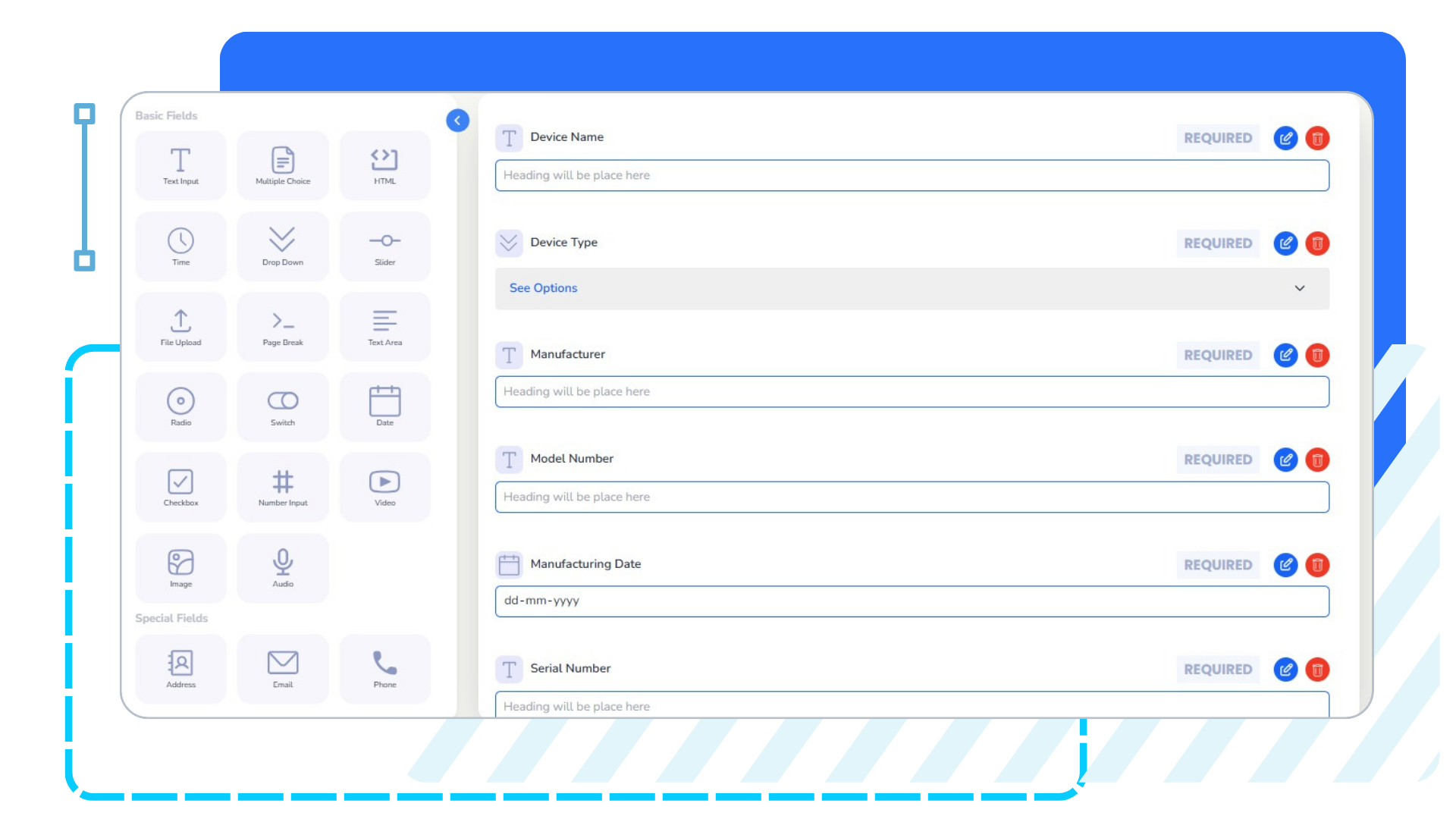
iSmartWorks offers a combination of AI-based form generation and drag-and-drop form generation capabilities. Our customers can use any of these options as a stand-alone or combination to accelerate the creation of a mobile app form.
-
For example, an initial form can be generated using AI and then enhanced/edited using the drag-and-drop option to enhance /improve the form.

Please refer to the User Guide for more details
Option 1
AI-based Form Creation
- Leverage AI to automatically generate forms based on specific use cases.
- Input a prompt such as “Create a project status report form” or “Build a customer feedback survey.”
- AI analyses the prompt and generates targeted questions, response options, and structure.
- Review and adjust AI-generated forms before publishing to ensure accuracy and relevance.
option 2
Drag-and-Drop Function
- Access a library of form fields, including text inputs, dropdowns, checkboxes, radio buttons, and more.
- Customize the layout and structure using a simple drag-and-drop interface.
- Add branding elements like logos, colours, and fonts to maintain brand consistency.
- Save templates for recurring forms, making it easy to replicate and modify in the future.
Step 2: Assign and Manage Forms
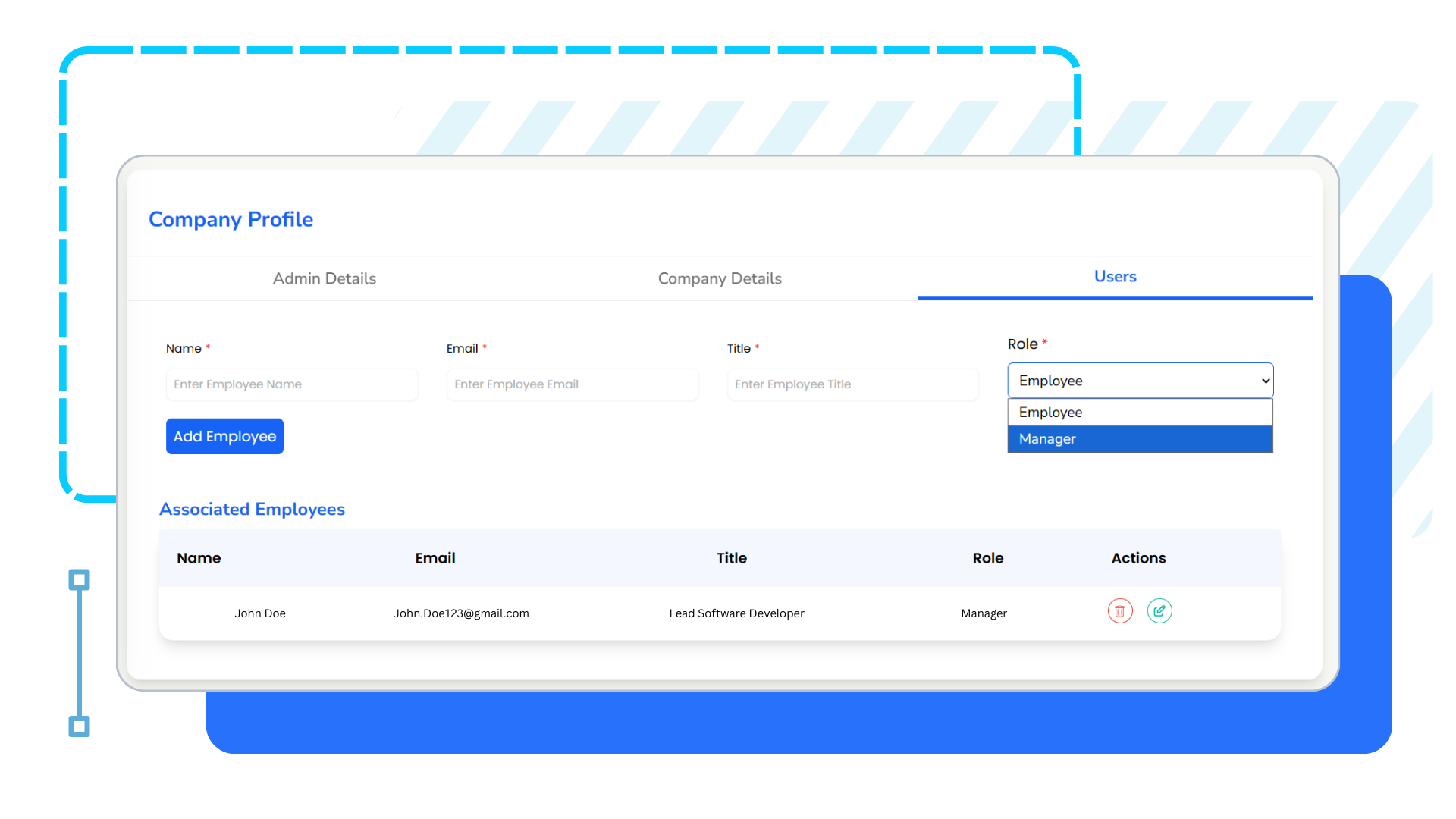
- Assign forms to individual employees after creation.
- Set permissions to control who can view, complete, or manage each form.
Step 3: Collect, Analyze and Implement Data
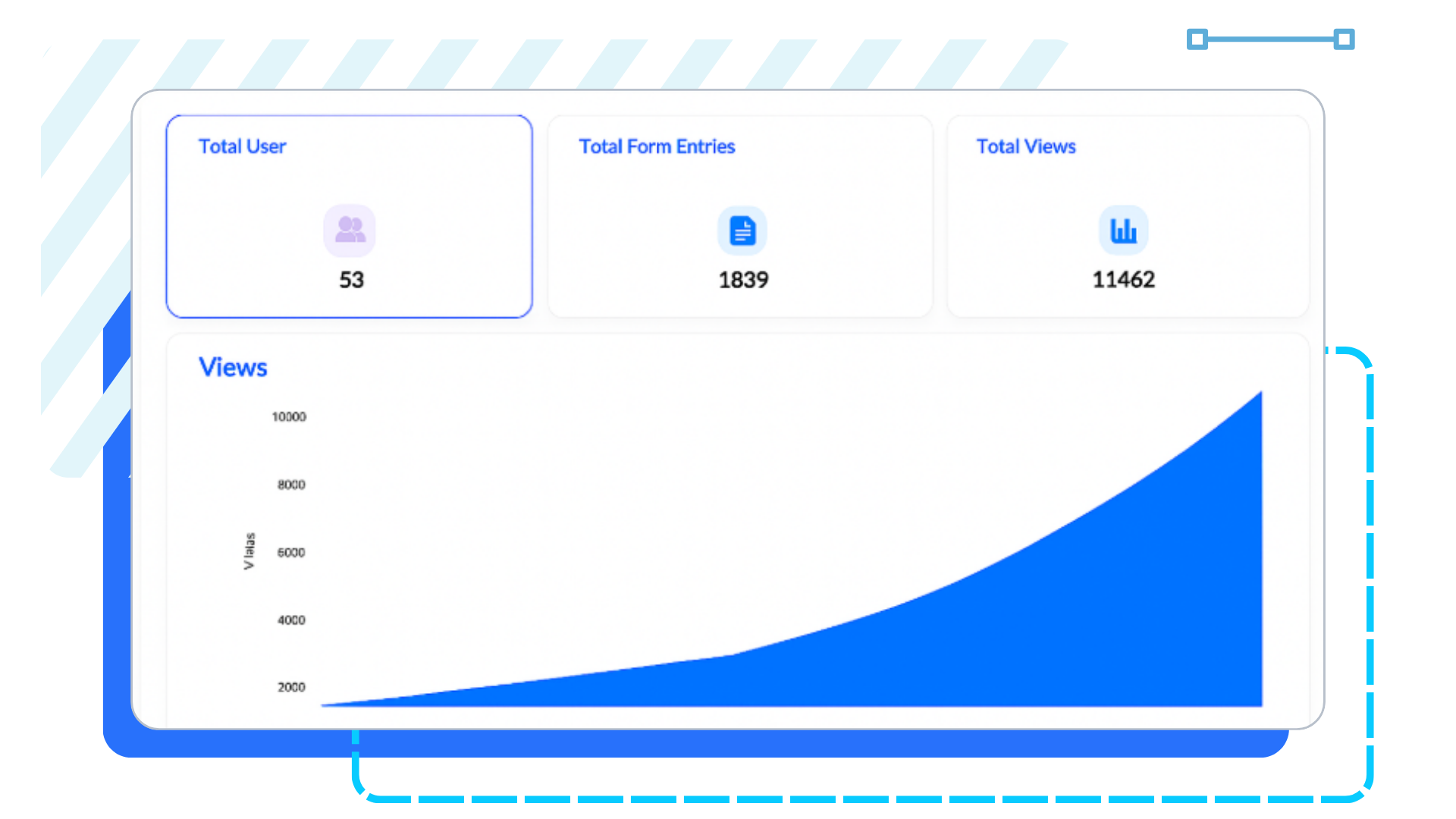
- Receive form submissions in a centralized dashboard.
- Visualize data with summary reports.
Questions?
We’re Here to Help